Switch on CapCut Premium in three steps. No APK to sideload.
You came looking for a CapCut Pro APK file. The account you already edit in can carry Premium instead, and it only needs that account's email.
Claim my CapCut Premium
It asks for the email on your CapCut account.
Three steps, each one on screen
A modded APK means a file from a stranger replacing the app on your phone. These steps leave your CapCut where it is.
Tap Claim my CapCut Premium
The next page opens in your browser, with nothing to download.
Give your CapCut email
Use the one you sign in with, so Premium lands on the right account.
Open CapCut and edit
The Pro transitions are there to pick, and exports export with no watermark.
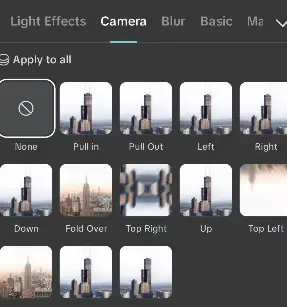
Inside your account once Premium is on
Let go and the shell opens again: the same editor and the same login, with the Pro pieces lit.
Premium facts, per account
| Item | Free plan | With Premium |
|---|---|---|
| Pro transitions | Locked | Open |
| CapCut watermark on exports | Stamped | Gone |
| Other Pro features | Held back | Included |
| File to sideload | None | None |
| What it asks for | Nothing | Your CapCut email |
| Cost of the switch | Nothing | Nothing to pay |
What people ask before they switch
Why skip the CapCut Pro APK?
- A modded APK comes from a stranger, never from the app store.
- Here nothing is installed: Premium goes onto the account you have.
- Installing it means letting your phone accept apps from unknown sources.
What does it ask me for?
- That email tells it which account gets Premium.
- The email tied to your CapCut account.
- Use the address you sign in to CapCut with.
What changes in my editor?
- The Pro transitions open in the transitions panel.
- The other Pro features come with the switch.
- Exports leave without the CapCut watermark.
Does it cost anything?
- There is no file to buy or download.
- The switch to Premium is free.
- It runs on the CapCut account you edit in today.
Your own account, Pro transitions and clean output.
Claim my CapCut Premium
Your CapCut email is all it needs.